We’re all using AI to help us in our day-to-day workloads. Whether it’s summarising reports, writing emails or using Gen-AI to create new campaign documents from scratch, it’s easy to see how much more productive we can be with technology at our fingertips.
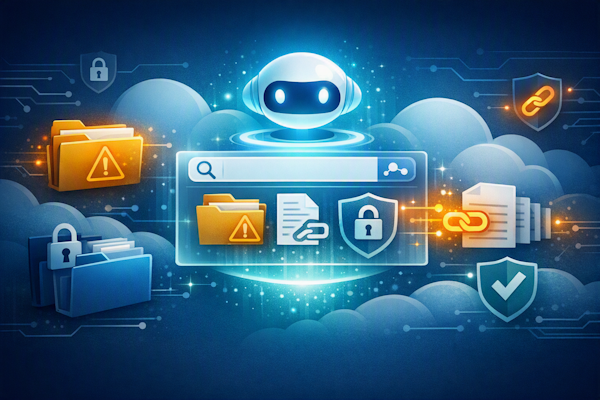
But one risk of bringing AI into your everyday workflow is that your employees could accidentally upload confidential data to a publicly available system (such as a free ChatGPT account) or access files or documents that should have been inaccessible via typical user access settings.
We work closely with businesses in Ipswich, Colchester and Felixstowe to help teams maximise their AI potential. Through the addition of Copilot to your existing MS subscription, we want to make it easy for you to make the most of what you’re doing in a safe, controlled environment.
Is Microsoft Copilot safe to use in the workplace?
With so many different tools on the market, you may be wondering how to choose among them. Claude, ChatGPT, Perplexity, Gemini, Jasper… the list of generative AI tools is endless, and each has its own strengths and weaknesses.
One of the (many) reasons we advocate for Copilot is that it is safe to use from an IT and data privacy perspective. Microsoft states that prompts, responses and customer data from Microsoft 365 Copilot are not used to train the foundation models that power the service, and your data stays within your own Microsoft 365 environment.
One of the questions we’re frequently asked is, “Can Copilot access information that users shouldn’t be able to see?”
The clear answer to that is no.
With Microsoft Copilot, your existing user access settings and security permissions will remain in place, regardless of what the user asks the prompt to do. It can only retrieve and summarise files, documents, or chats that you already have explicit permission to open under your wider security settings.
Copilot is a useful tool to find internal information more easily.
One of the often-overlooked benefits of Copilot is that you can find internal information much more easily. Manually searching for information (perhaps articles you’ve written on a particular subject, or contracts containing certain clauses) could be difficult to manage, as it often depended on users having an ingrained knowledge of what different file names were saved as, as well as remembering what information was included in each file.
This is where Copilot becomes far more intuitive than other AI tools.
Instead of manually searching through individual files to find what you’re looking for, users can now ask Copilot, “Which is the latest contract that includes a clause about confidentiality?” or HR teams could ask, “Have I written any internal documents that outline the next stage of the Employment Rights Act?”
For scaling businesses adding new users, it was often easier to lose sight of what information you already had saved in hidden SharePoint libraries or forgotten folders. With Copilot, new users won’t have to second-guess themselves – for example, a new Marketing Manager could ask, “How many webpages or articles have we written about this specific product, and which align with this particular audience group?”
Suddenly, the search capabilities in your user access settings are far more intuitive, saving time and making it easier for your team to find what they need. This search capability is an underrated feature that we think deserves a lot more recognition for how genuinely helpful it can be in the workplace.
Copilot’s enhanced search functionality is why user access permissions are important.
As we’ve mentioned, Copilot will adhere to your user access settings.
It will not grant access to any files, folders, chats, emails, or documents that users shouldn’t be able to find.
But without regular maintenance, your user access settings can weaken over time.
Perhaps you’ve granted someone temporary access to a specific folder or shared drive but have forgotten to revoke access when the work was completed. Or maybe a sensitive file in a hidden folder created by a previous staff member was open to an entire department, but as your team has grown and access needs have changed, you’ve lost sight of old unused folders.
Without realising it, your previously strict user access settings have become weaker.
And while you may have previously been able to manage this, Copilot’s search functionality makes this a clear priority to review.
Before you know it, someone in your team could ask Copilot a question and find themselves with access to a legacy document that has sensitive information or discover something that should have remained confidential.
That’s not the user’s fault.
Nor is it the fault of the search functionality.
But it does show how quickly a user access permission can become a problem.
How can businesses protect their permission settings before implementing AI?
If you’re planning on investing in an AI rollout, you should consider your IT AI readiness.
An AI readiness assessment reviews your data, permissions, security settings and workflows before introducing AI tools. It’s your opportunity to check that your user access permissions are as stringent as possible before introducing your preferred AI tool.
As your external IT consultants, we can work with businesses across Suffolk and Essex to ensure your systems are fully prepared before any AI project begins. We’ll look critically at your systems to identify any outdated user access settings and lock down files and folders as much as possible.
This is an essential task – not just to prevent accidental access through Copilot, but also to minimise user access, which can prevent hackers from diving into your system undetected.
If you’re not yet sure whether you need external IT support from an Ipswich-based IT team, or you feel confident in managing it yourself, our recommendation is to focus on the following priorities. This is only a small starting point, and the full details of which settings you need to check may depend on your business size and any regulatory restrictions you must comply with.
- SharePoint Permissions. This usually means checking the sites and folders behind Microsoft Teams and SharePoint. Review who has access to each site, library and document. Remove unnecessary access and ensure sensitive information is appropriately protected. In particular, make sure that your HR, finance and business development folders are locked down.
- External Sharing. Check whether files, folders or sites have been shared with external users and confirm that these permissions are still required. For example, if someone creates a project folder and grants access to an entire department for a temporary project, those permissions can remain in place years after the project ends. In many Microsoft 365 reviews we carry out, one of the most common issues is historical permissions granted to external teams years ago that were never removed.
- Legacy Content. Identify outdated files, old project information and redundant data that may no longer need to be retained. If you have any old projects that are no longer needed, then archive or delete them as appropriate.
- Sensitive Information. Ensure that confidential data is stored and protected in accordance with your organisation’s security policies. Make sure you check your payroll, contract and customer data to confirm that all settings are as secure as possible.
There will always be more work that needs to be done, as this should be an ongoing monthly task, not a one-and-done job that you’ve ticked off your to-do list.
Remember, checking your user access settings can also create an auditable record of the steps you are taking to protect your system and data.
If this sounds complicated, talk to Lucid to find out how we can help.
Over the last few years, there have been numerous examples of businesses around the world that have accidentally uploaded confidential information to their AI systems or whose weak user access settings have allowed hackers to gain deep access to their systems.
We don’t want to hear of that happening to any business in Suffolk and Essex, because it can be prevented with just a quick call to one of our engineers.
If you are planning a new AI rollout in the near future, or you’ve recently added some new software, relocated or added new users to your system, then it’s time to check your settings and permissions.
This isn’t a job you can keep putting off, because the longer you leave it, the more at-risk your business becomes.
If you’re considering Microsoft Copilot (or any other AI project), we can help assess your current environment and identify areas that may need attention. We’ll review your SharePoint permissions, external sharing configuration, and existing content, and provide practical recommendations for improvements.
The question you need to think about is not whether Copilot can bypass your security. It’s whether your current permissions already expose information that employees can access but rarely discover.
Book an AI readiness call with us to see how safe and secure your systems and settings are.