If you run a growing business in Suffolk or Essex, your daily responsibilities are endless. But the most pressing thought that keeps you awake in the middle of the night is the knowledge that you are solely responsible for keeping your staff in a job.
It’s a sobering thought. And it’s never far from your mind, even when you’re trying to enjoy some much-needed downtime with your family on the beach during the summer or chilling out at home between Christmas and New Year’s.
But you’ve earned a proper holiday.
You deserve to be able to switch off and unwind because you’ve got a great team behind you. As well as your internal employees, you’ve also got great relationships with external agencies to act as additional resources, and your technical infrastructure is managed by Ipswich’s top IT support team (ahem).
As we approach the end of the year, some staff in your office might be working between Christmas and New Year. You might have that niggling thought in the back of your mind that says, “What if something goes wrong while I’m away? Would my staff know what to do or who to contact?”
We’re here to reassure you.
As your managed service provider, we’ve got your tech covered and your security settings safe.
But we’re only one part of the puzzle.
Your staff also need to keep alert, even if things may feel quieter than usual.
To set your mind at ease, we asked our IT support expert, Jamie Pope and cybersecurity expert, Karl Wilkinson, to share their practical advice. Their insights will help your staff stay protected from digital threats, so you can relax without checking your inbox every five minutes.
What we manage as IT support vs staff responsibilities
As your external IT support team, it’s our responsibility to monitor your systems, patch your vulnerabilities and back up your data. We do everything we can to ensure that your offices communicate effectively and that your staff can seamlessly switch between remote and office work.
But, even with phishing simulation training and employee education, we can’t stop someone from clicking a malicious link or uploading confidential data to an open AI tool.
As Jamie tells us,
“It’s all about the shared responsibility. Everything we do is about keeping your systems safe and secure, so that if a user makes a mistake, any potential damage is spotted and minimised before it becomes a problem.
But it only works as it should when everyone knows who to talk to if something doesn’t seem right. It’s about making sure that the communication is there so an employee can feel confident reporting a technical issue or a potential data breach.”
Essential IT priorities before the Christmas holidays
Our role as your Ipswich IT support team is to ensure your system runs as effectively as possible.
But we are much more than just an IT helpdesk.
There are a few things we can do before Christmas to ensure you have the right safeguards in place.
We’ve asked Karl to tell us what he thinks the key priorities should be.
He says,
“The key areas that we will focus on in the next few weeks will be limiting user access settings, configuring policies so that confidential data cannot be uploaded to open AI platforms, and making sure that staff know how to get in touch with us and report an issue over the holiday period. If we can focus on these areas in the next few weeks, you’ll find it much easier to switch off and relax properly.”
Limit user access settings
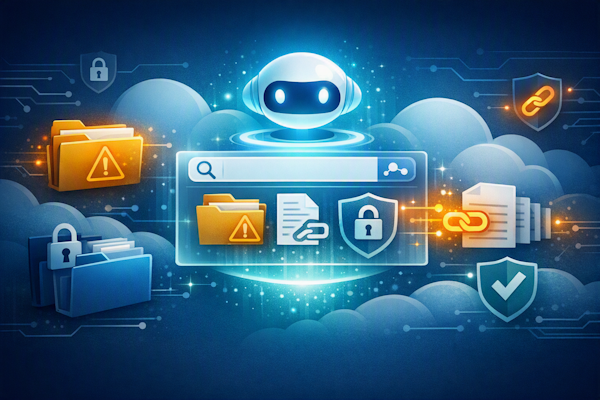
Before you head off on your Christmas break, we want to double-check you have the correct user access settings in place. When we limit access as much as possible, we can put in place blockades that prevent hackers (or even your internal staff) from accessing files and folders they shouldn’t.
As Karl says,
“Problems often occur when a staff member has needed temporary project permissions or elevated privileges that remain active long after they are needed. Those permissions can be exploited by attackers, especially during quieter periods when fewer staff are monitoring systems. But a quick double-check can reassure you and serve as an additional safeguard you didn’t realise you needed.”
Preventing confidential data leaks when using AI tools.
While you’re on annual leave, your team might be tempted to take shortcuts by using generative AI tools. Some of the latest gen-AI tools are seriously impressive, but they are an additional security risk. There are many high-profile stories of brands accidentally leaking confidential data because they were using a free account based on an OpenAI premise.
A core part of our work now is ensuring that your AI tools have the same access permissions as your files and folders. This means that you protect your business from inadvertent data sharing and ensure compliance with data protection standards.
Our IT support team make it easy for your employees to report IT issues.
With IT problems, time is always of the essence. Whether it’s minimising downtime or preventing a data breach from escalating, the quicker we know of a problem, the better.
That’s why we make it as easy as possible for your team to report an issue.
Your team should know how to log a ticket with us, and our IT helpdesk team will be available between Christmas and New Year. We’ll also be answering emails and phone calls, so please remind your employees of our contact details if they suspect a problem.
Remind your employees, cybersecurity starts with positive working habits
Be honest, when you’re on holiday, do you think your staff behave in the same way as when you are there keeping an eye on them?
We can guarantee that while you’re on holiday, your team will relax and pay less attention to the high standards that you expect from them. In most cases, that’s not a problem, but it’s worth reiterating that there are a few things that must always be adhered to.
Jamie says,
“Almost every IT-related problem starts from a human error, whether it’s leaving your laptop unlocked or inadvertently clicking a malicious link. It’s easy to relax slightly when the boss isn’t there, but you do need to pay attention because hackers and fraudsters will take advantage of any lapse in concentration.”
Make sure employees always lock devices and workspaces.
If you leave your laptop unattended, even if you pop to the loo or have a chat with a co-worker while making a cuppa, then anyone could gain access to your files, folders or emails. Allowing someone free rein of your laptop (even unknowingly) will render those carefully set up user access permissions pointless.
Jamie tells us,
“The last thing you want is for a co-worker to see confidential information on your screen while you’re away from the desk, so always make sure you lock your devices even if just stepping away for a minute or two.”
Report issues immediately, no matter how big or small
Whether you have one person in the office or a dozen, it’s essential that everyone feels confident to report any technical issue as soon as possible.
We’ll be around between Christmas and New Year to answer any questions or respond to any tickets that have been logged, so if something feels even slightly ‘off’, then tell us.
We’d much rather spend five minutes checking something and reassuring you than dealing with something much more serious a few hours later.
Be careful about how much your business shares online.
Our final reminder is to be mindful of how much your business and team share online. It might be easy, from a communications perspective, to share that you’re operating with a skeleton team, but that could be the message that tells an attacker it’s time to make their move.
Where possible, try to avoid posting company details, office closures, or holiday schedules online. Hackers love clues about when businesses are vulnerable, and they will use that information against you.
You can switch off, knowing that our IT support team and your staff have got you covered.
Taking time off should never mean leaving your team exposed to digital threats.
But it also shouldn’t mean that you can never unwind and enjoy your annual leave.
Hopefully, we’ve reassured you that between our technical safeguards and your staff awareness, we’re doing everything we can to keep you safe and secure. There are hundreds of different threats that businesses in Ipswich face every day, but your digital defences shouldn’t be one of them.